Early interest · For UK builders

Less admin fog.
More time on the tools.

HODHQ keeps every job clear — drawings in, materials take-off out; Assistant to talk or type jobs and costs in; clock-ins, documents, stage payments and a team view with no money shown — so you're not chasing notes and WhatsApps while the site still needs you. Works on phone and desktop.

The lads update photos and progress. Money stays PIN-locked for the boss. Interest list open while we prove it on live work — no public signup yet.

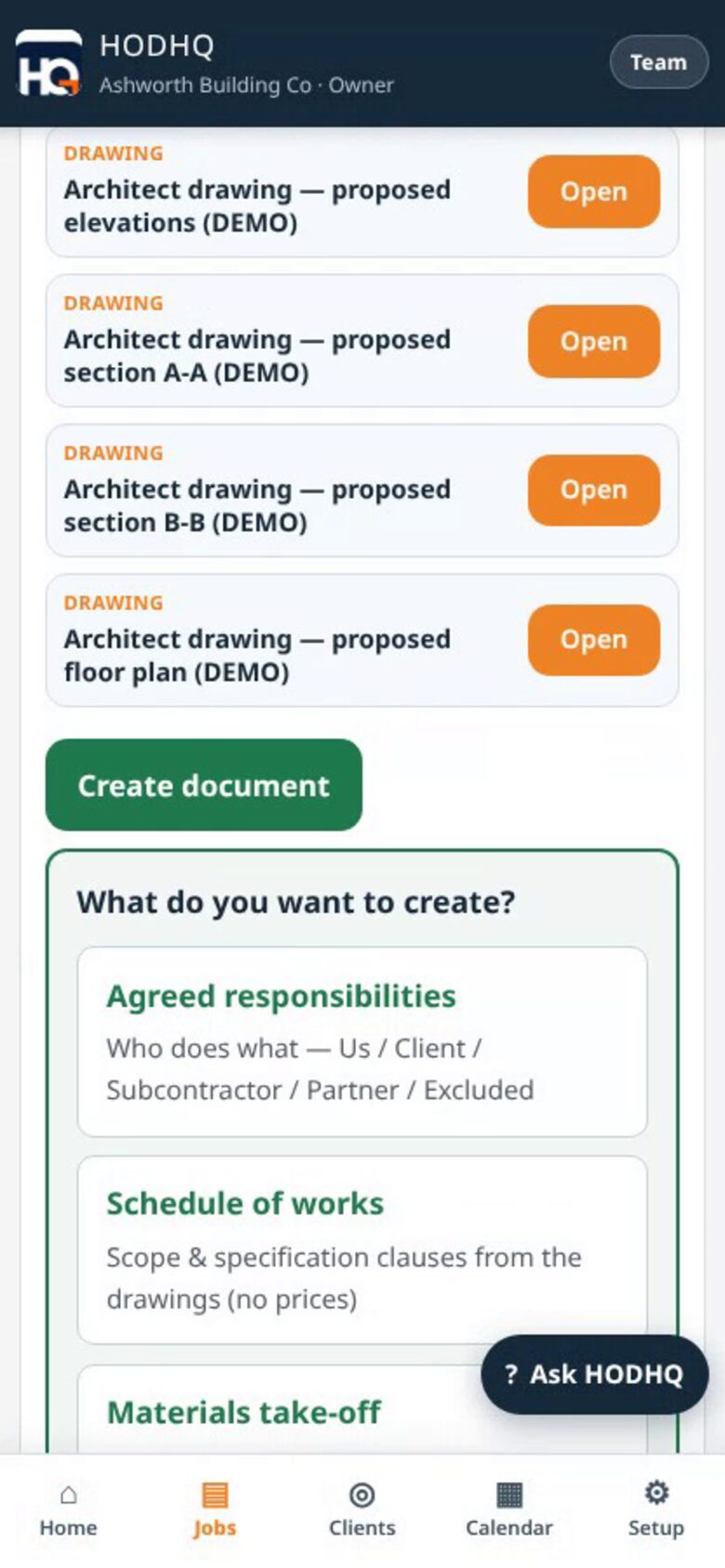
Demo product shot — Create document from architect drawings for Ashworth Building Co
Demo UI — create document from drawings (fictional Ashworth)

See it in action

One minute on the tools

One minute: drawings in, materials take-off out — plus jobs, costs, clock-ins and documents.

Demo walkthrough with fictional Ashworth Building Co data. Tap play — no autoplay with sound. Phone gets the upright cut; desktop the widescreen.

The promise

Cut the chase.
Stay on the tools.

Builders don't need another pile of screens. You need the job clear enough that you're not stuck in admin all evening. HODHQ is that: drawings to take-off, the programme, the crew, the paperwork — under control, with quotes and invoices kept to yourself until subscriptions launch.

What's in HODHQ

Built for the day you actually run

Live features on phone and desktop — plain builder language, no fog. Interest list only for now; no public signup.

Create document from architect drawings

Load the drawings on the job, then Create document. Get a materials take-off with quantities worked out — waste and "how calculated" on each line — plus a schedule of works (for pricing / client version) and agreed responsibilities. Edit everything before you save. Brand the PDFs with your own logo and company details.

Assistant

Type or speak — Photos, Camera, Files, Mic, or drag-and-drop. Creates customers and jobs, logs costs, materials and labour, and uploads receipts and drawings. Can amend notes (client notes show on the job) and amend or delete with Confirm — delete asks a second sure step. Nothing saves until you Confirm. Minimise keeps the chat; Clear chat is separate. Stays inside HODHQ — not a staff messenger.

Receipt photos on any cost

Attach a receipt from the gallery or camera when you log a cost or material — open it again any time on the job.

Clock-ins the owner can fix

Site clock sync for the crew. Owner can Amend hours or Add hours when someone forgets. Who-worked weekly sheet for the whole crew.

Documents on each job

Documents card on every job — drawings, schedule of works, take-offs and more in one place. Drawing uploads stay with the work.

Payment receipts & subbie invoices

Payment receipt PDFs when money lands. Subbie invoice log so supplier and subcontractor paperwork doesn't live in your camera roll.

Stage payments

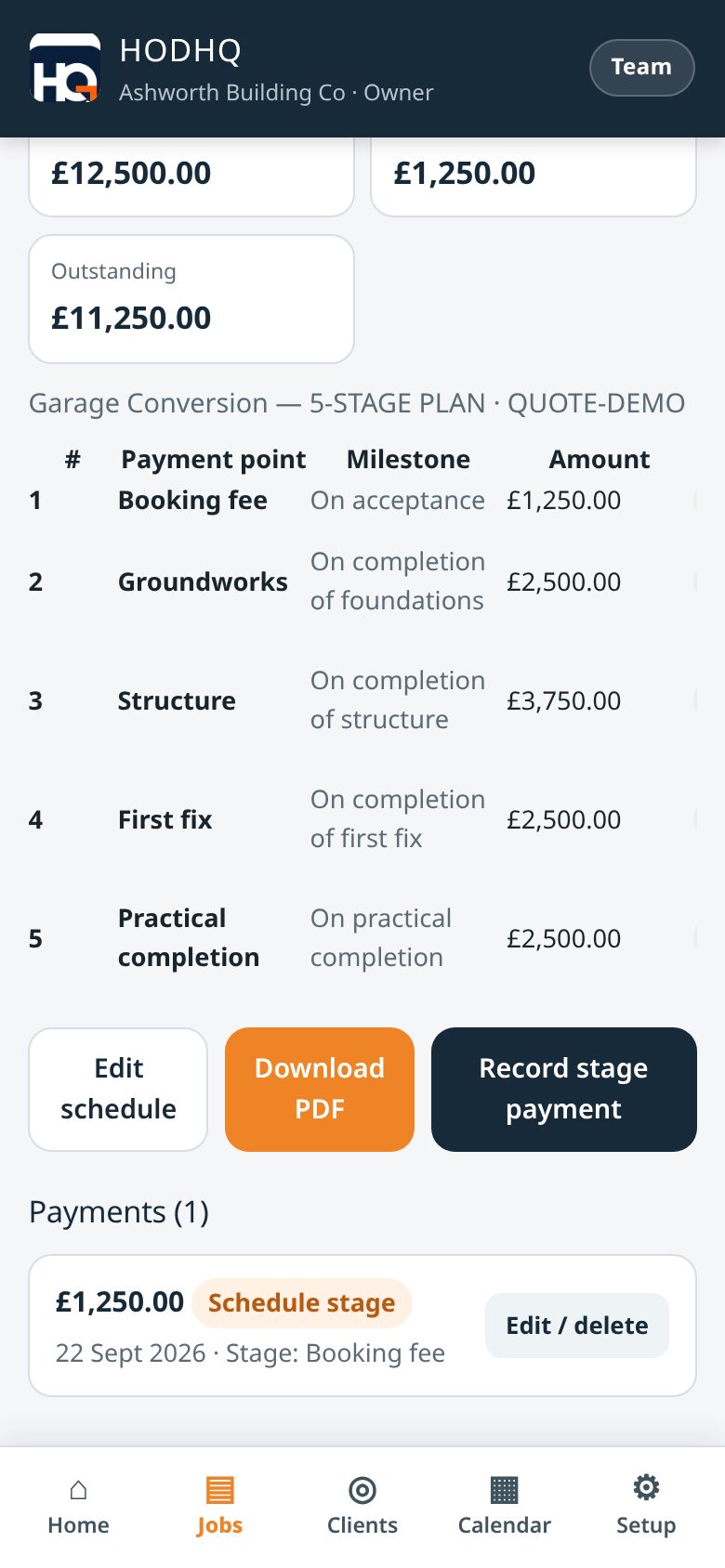
Build a stage schedule and mark stages paid as money comes in — useful when the deposit lands before the final paperwork.

Team view — no money shown

Crew get jobs, calendar, photos and daily progress. Quotes, invoices and profit stay PIN-locked for the boss.

Still the backbone

Working-day programme (Mon–Fri, Sat/Sun optional), bookings on a calendar, clients in one place, professional invoices, printable reports, photos plus a daily note, and one-tap WhatsApp — so you're not reconstructing the day at 9pm.

Trades-ready editions are on the way for specialist work — including electrical certificates and gas safety certificates (working forms in progress). Same calm job control — tuned for the trade. Join the interest list if that's your lane.

Product shots · Demo data

How HODHQ looks on the phone

Fictional demo company — Ashworth Building Co and client Jordan Ellis. These are product screenshots of the live app UI, not real customer data.

01 · Create document

Drawings in. Take-off, schedule, responsibilities out.

Open Create document on the job. Choose materials take-off, schedule of works, or agreed responsibilities. Quantities come with waste and how they were calculated — edit before you save, then brand the PDF with your logo.

Demo product shot — Create document menu with materials take-off, schedule of works and agreed responsibilities
Demo UI — create document (fictional Ashworth)

02 · Materials take-off

Quantities worked out — with waste

Review every line before saving. Each item shows qty, unit, waste % and a plain "how calculated" note from the drawings. No invented sizes — unclear bits stay TBC or provisional.

Demo product shot — materials take-off with quantities, waste and how calculated for Jordan Ellis garage conversion
Demo UI — materials take-off (fictional)

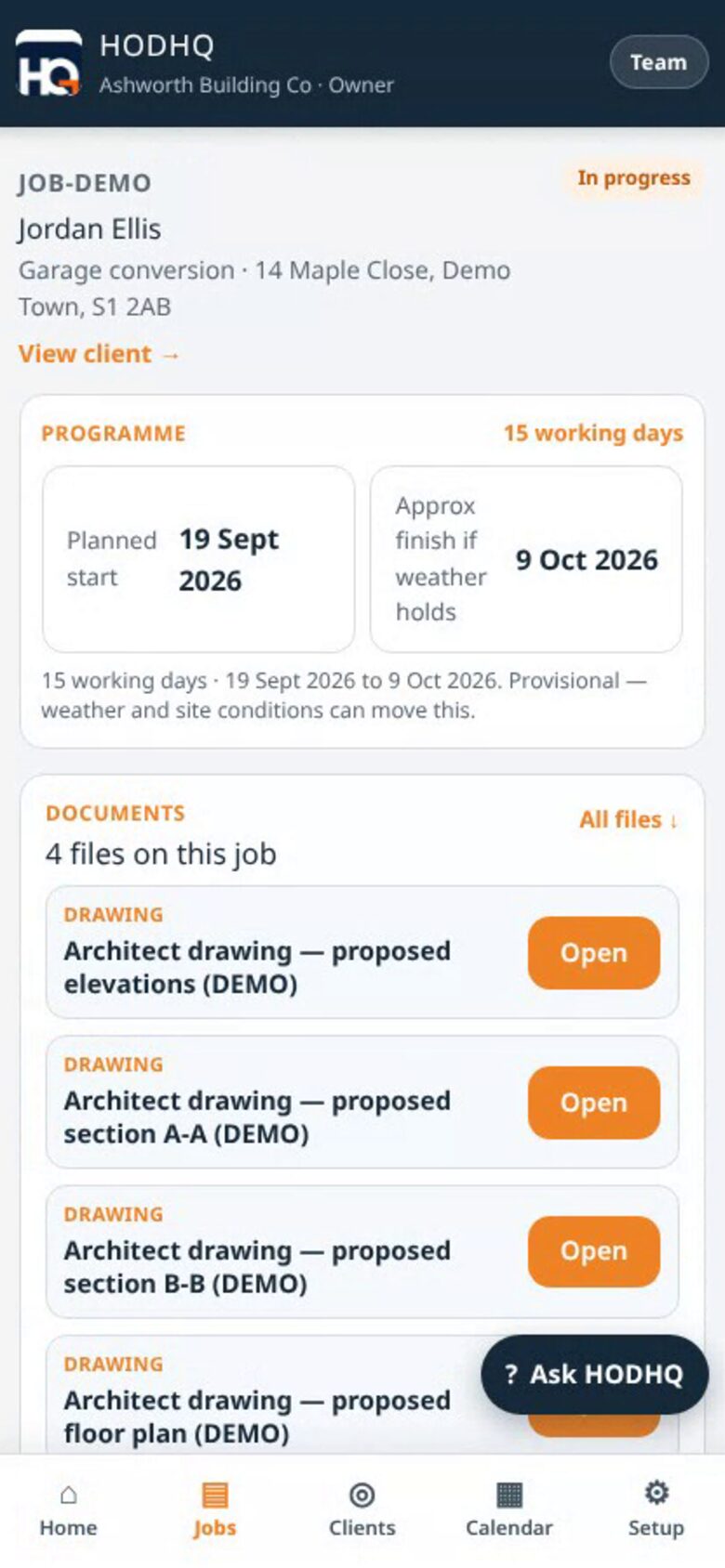
03 · Documents on the job

Drawings and Create document in one card

Each job has a Documents card — architect drawings, then Create document when you're ready. Schedule of works and take-offs land back here.

Demo product shot — job Documents card with architect drawings and Create document for JOB-DEMO
Demo UI — documents on the job (fictional)

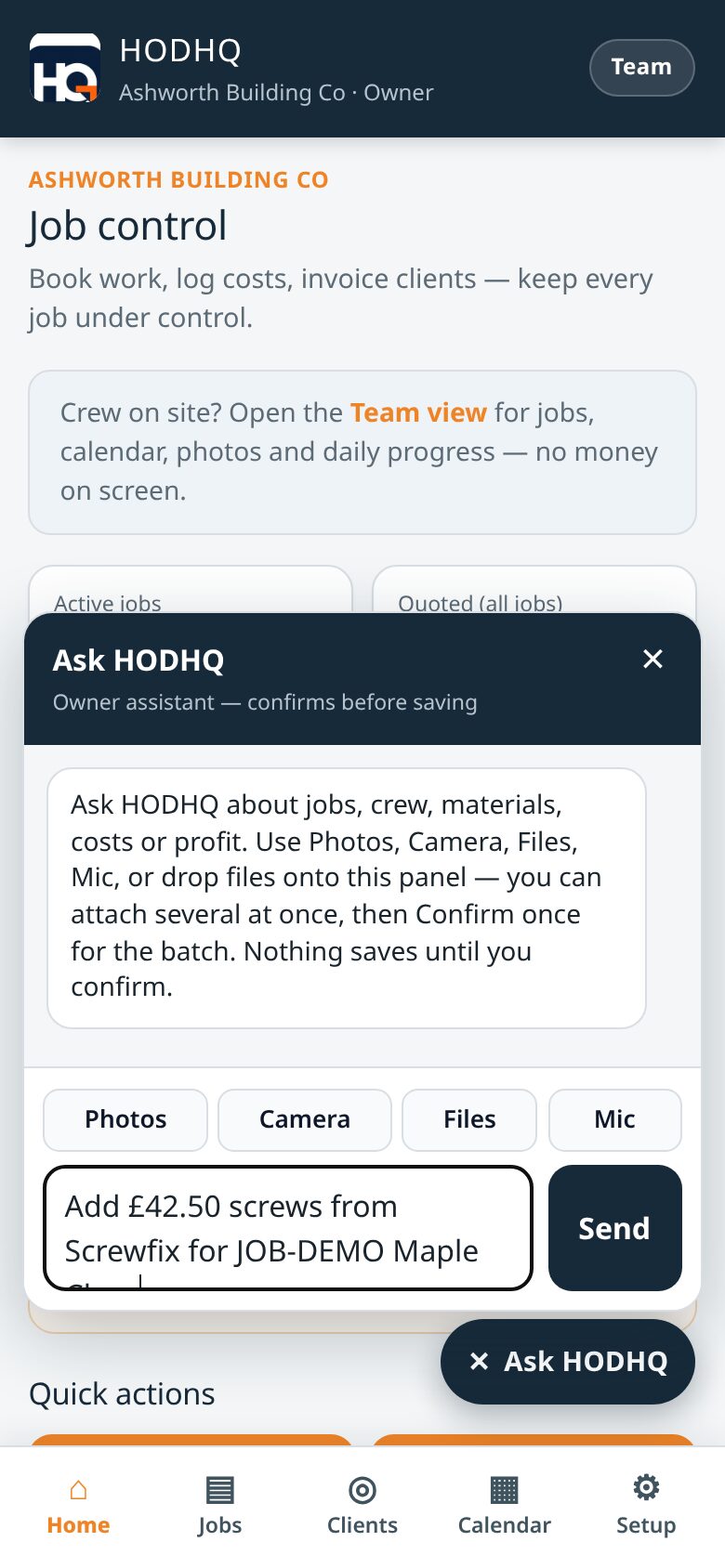
04 · Assistant

Talk or type. Confirm before save.

Open Assistant from the corner of any owner screen. Type or speak; add Photos, Camera, Files, Mic, or drag-and-drop. Creates customers and jobs, logs costs, materials and labour, uploads receipts and drawings. Amend notes (client notes show on the job); amend or delete with Confirm — delete needs a second sure step. Nothing saves until Confirm. Minimise keeps the chat; Clear chat is separate. Stays inside HODHQ — not a staff messenger.

Demo product shot — Assistant chat open with Photos, Camera, Files and Mic on Ashworth Building Co
Demo UI — Assistant (fictional Ashworth)

05 · Receipts

Gallery or camera on any cost

When you log a material or job cost, attach the receipt from the gallery or camera. Same idea inside Assistant when you're talking the line in.

Demo product shot — add material with Receipt Photos Camera Files attach UI
Demo UI — receipt on materials (fictional)

06 · Schedule of works

Client / pricing version from the drawings

Schedule of works PDF branded with your company — scope and specification from the loaded drawings, ready to overlay rates or share with the client.

Demo product shot — Schedule of Works PDF for Ashworth Building Co and Jordan Ellis
Demo UI — schedule of works PDF (fictional)

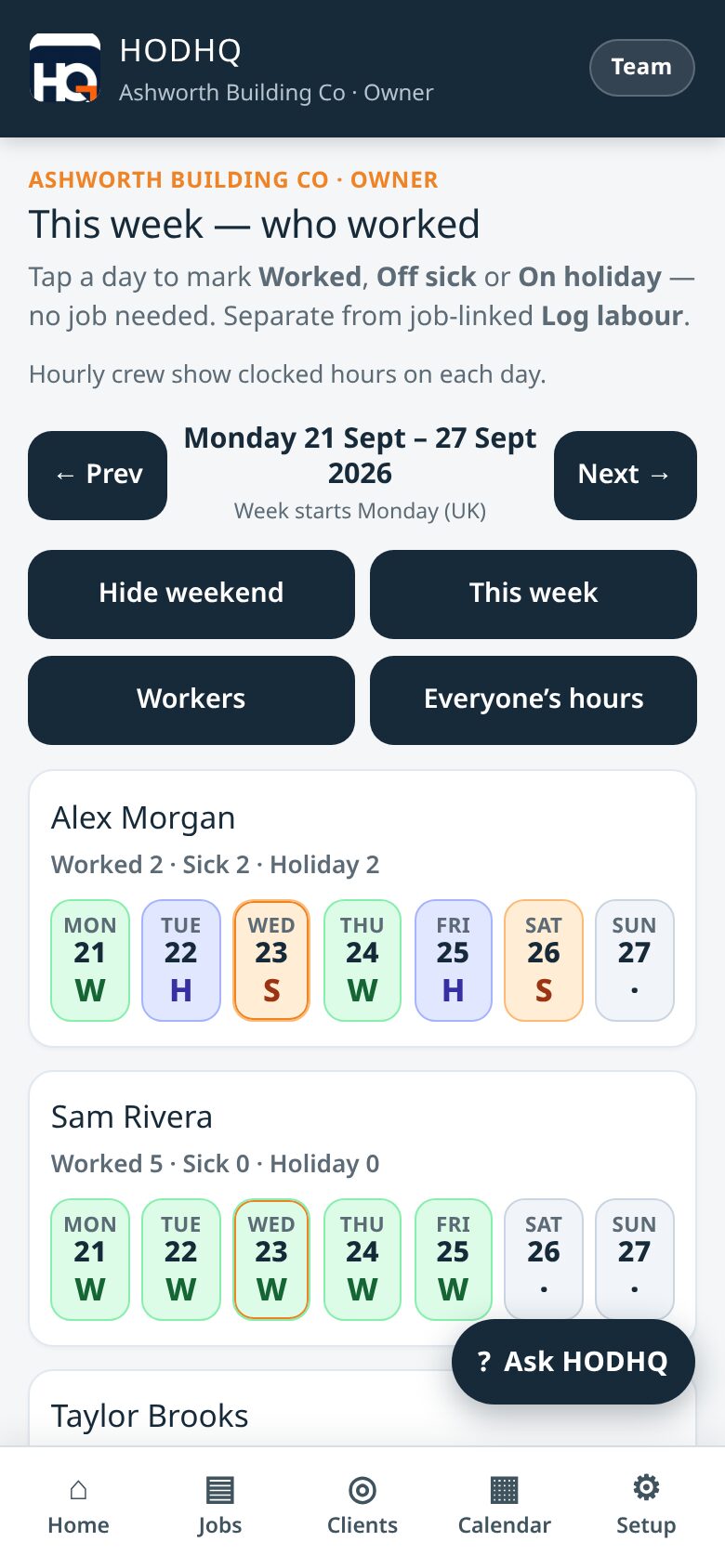
07 · This week

Who worked — Mon to Sun

Weekly who-worked sheet for the crew. Tap a day to mark Worked, Off sick or On holiday — separate from job-linked labour.

Demo product shot — HODHQ this week timesheet showing Worked, Off sick and On holiday
Demo UI — this week who worked (fictional)

08 · Clients

One client. Every job and figure.

Open a client and see their jobs, costs and invoices together. Stop hunting through messages when someone asks where you left the last job.

Demo product shot — HODHQ client hub for Jordan Ellis showing jobs and figures
Demo UI — Jordan Ellis client hub (fictional)

09 · Stage payments

Milestones as money lands

Build a stage schedule, download a client PDF, and mark stages received as money lands — payment receipt PDFs when you need them.

Demo product shot — HODHQ stage payment schedule with booking fee marked paid
Demo UI — stage payments (fictional)

10 · Programme & calendar

Start date + working days

Jobs land on the calendar from start date and working days. Monday to Friday are working days; Saturday and Sunday are optional. One-tap WhatsApp when you need it.

Demo product shot — HODHQ job programme for Jordan Ellis
Demo UI — programme (fictional)
Demo product shot — HODHQ calendar with job bookings
Demo UI — calendar (fictional)

11 · Team vs owner

No money on the team view

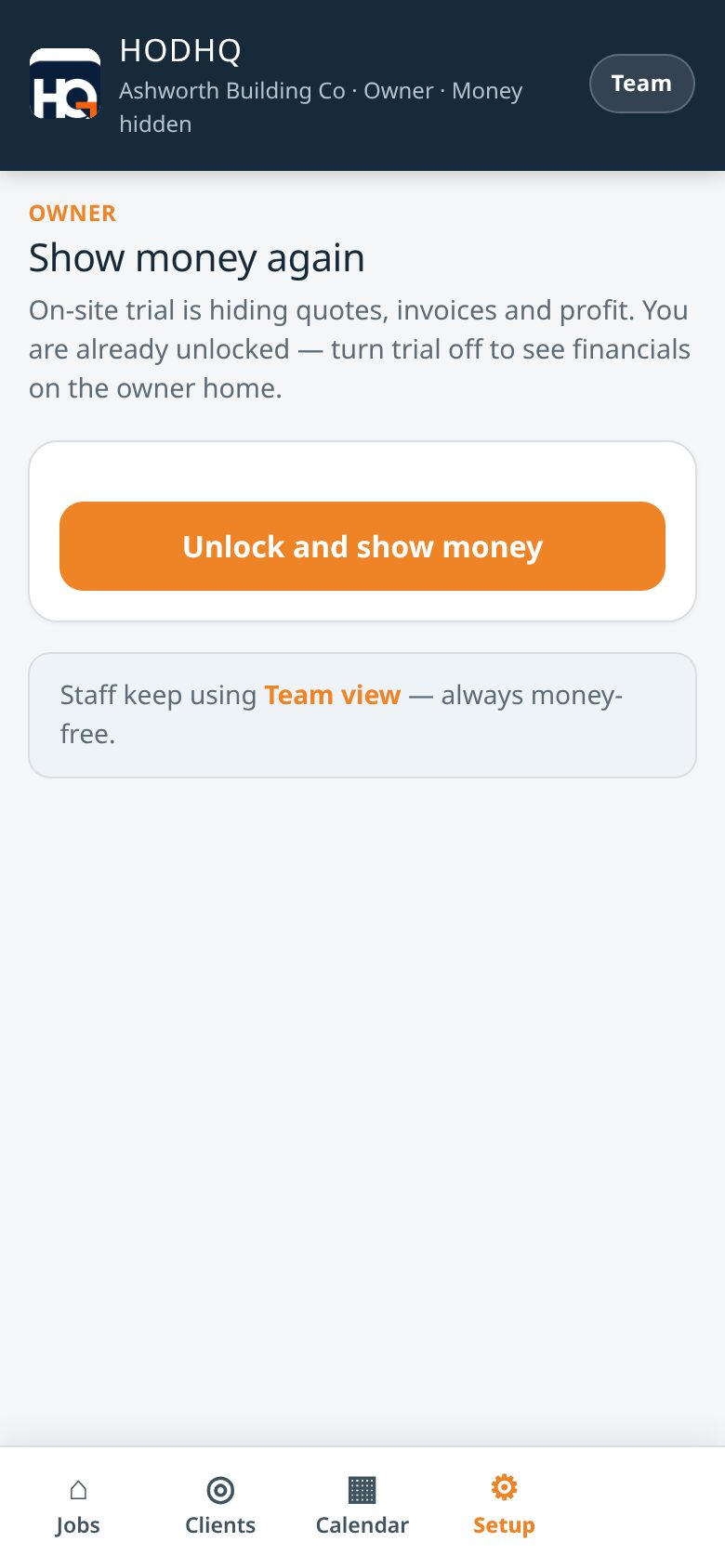
Staff get photos, progress and WhatsApp. Quotes, invoices and profit stay PIN-locked for the boss — the site still moves.

Demo product shot — Ashworth Building Co owner PIN unlock for financials
Demo UI — Owner PIN (fictional Ashworth)

On the desktop / PC

Same job control on a bigger screen

Run Create document, materials take-off, Assistant and the owner home on a laptop or office PC — same fictional Ashworth demo data as the phone shots.

Desktop · Create document

Drawings loaded. Pick what to create.

Agreed responsibilities, schedule of works, or materials take-off — then review and edit before the PDF saves with your branding.

Demo product shot — Create document menu on desktop for Ashworth Building Co
Demo UI — create document on desktop (fictional)

Desktop · Materials take-off

Edit quantities before you save

Wide layout for reviewing lines, waste and how calculated — then Save as PDF for the merchant or your own pricing.

Demo product shot — materials take-off review on desktop with how calculated notes
Demo UI — take-off on desktop (fictional)

Desktop · Schedule of works

Branded PDF from the drawings

Scope and specification for pricing or the client — Ashworth Building Co / Jordan Ellis demo data only.

Demo product shot — Schedule of Works PDF branded for Ashworth Building Co
Demo UI — schedule of works PDF (fictional)

Desktop · Job documents

Drawings + Create document

Programme dates beside the Documents card — start date, working days, and Create document when the drawings are on.

Demo product shot — job programme and Documents card with Create document on desktop
Demo UI — job documents on desktop (fictional)

Desktop · Assistant

Confirm before save — on the PC too

Drag-and-drop receipts from Finder or Explorer, talk or type, use Photos, Camera, Files and Mic — then Confirm. Amend notes or delete with Confirm (delete asks twice). Minimise keeps the chat; Clear chat is separate. Same Assistant on the van phone and the office desk — stays inside HODHQ.

Demo product shot — Assistant open on desktop for Ashworth Building Co
Demo UI — Assistant on desktop (fictional)

Desktop · Owner home

Job control at a glance

Active jobs, outstanding money and quick actions on a wide layout — PIN-locked books still stay with the boss.

Demo product shot — HODHQ owner home on desktop for Ashworth Building Co
Demo UI — owner home on desktop (fictional)

On site

The day you're paid to do

Less evening admin. More hours where the work actually happens.

Builder at a workbench with power tools

On the tools

Get the admin out of your head so you can focus on the work in front of you.

Busy construction site with crew

Know where you left it

A quick photo and a daily note beat trying to remember it all at 9pm.

Site team on a floor under construction

Keep the week straight

Working days and a calendar so you’re not juggling bookings in your head.

Close-up of brickwork

Finish the job

Less chasing notes and WhatsApps. More work that actually gets done.

At a glance

Clear tools. Builder language.

So the day stays on the tools — not in a fog of messages and half-remembered notes.

Drawings

Create document

Take-off, schedule, responsibilities.

Assistant

Talk or type

Confirm before save. Jobs on the calendar.

This week

Who worked

Mon–Sun. Amend hours when needed.

Documents

On each job

Drawings, take-offs, schedule of works.

Stages

Pay as money lands

Stage payments and receipt PDFs.

Team view

No money shown

PIN-locked books for the boss.

Keep the books to yourself

Staff update the job.
They never see
quotes, invoices
or profit.

Demo product shot — Ashworth Building Co owner PIN unlock for financials
Demo UI — Owner PIN (Ashworth Building Co, fictional)

Early interest · hodhq.co.uk · hodhq.com

Want less stress on the next job?

We're proving HODHQ on live jobs before paid signup opens. Leave your email and we'll tell you when subscriptions are available — so you can get back on the tools with the job under control.

No public signup yet. Leave your email and we will tell you when subscriptions open.

FAQ

Straight answers

What does HODHQ do?

HODHQ is job software for UK builders who want less admin stress and more time on the tools — on phone or desktop. Create document from architect drawings gives you a materials take-off (quantities, waste, how calculated), schedule of works and agreed responsibilities — editable before save, branded with your logo. Assistant lets you type or speak (Photos, Camera, Files, Mic, drag-and-drop) to create customers and jobs, log costs, materials and labour, and upload receipts and drawings. Amend notes (client notes show on the job); amend or delete with Confirm — delete needs a second sure step. Nothing saves until Confirm. Minimise keeps the chat; Clear chat is separate. Stays inside HODHQ — not a staff messenger. Jobs land on the calendar from start date + working days. Receipt photos from gallery or camera on any cost. Owner can Amend hours / Add hours on clock-ins; site clock sync; who-worked weekly sheet. Documents card on each job; payment receipt PDFs; subbie invoice log; drawing uploads; stage payments; team view with no money shown. Staff update the job without seeing quotes, invoices or profit — you keep the books behind an owner PIN.

When does it launch?

After we finish proving it on live jobs. The interest list is open now at hodhq.co.uk and hodhq.com — join it and we will email you when subscriptions open. There is no public app signup yet.

Do the lads see quotes and invoices?

No. Quotes, invoices and profit stay with you behind the owner PIN. The team view shows jobs, calendar, photos and progress — no money on screen.

Can I sign up for the app today?

Not yet. Public signup is closed while we run HODHQ on live jobs. Use the interest list above and we will tell you when subscriptions open. Pricing will be announced at launch — no monthly fee published yet.

Is there a monthly price yet?

No. We are not publishing a monthly fee until launch. See the pricing page for how that will work, and join the interest list to hear first.

Status

Early release. Interest list open.

HODHQ is still being developed and proved on live work. There is no public sign-up and no live checkout. Builders who want early notice can join the interest list.

Join the interest list